Website ke menu, footer aur contact links ka quick audit kaise karein?
Homepage khulne se har destination correct nahi hota. CratosHub ka practical link audit: menu, footer, contact aur renamed pages check karein.
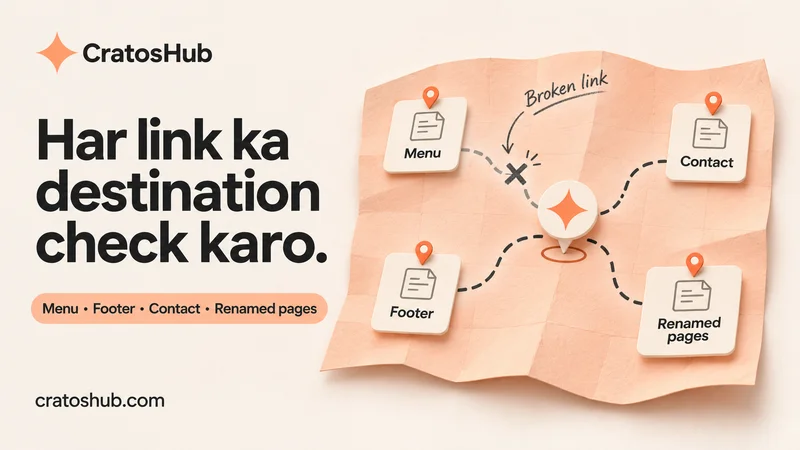
Website ki homepage khul rahi hai, design bhi sahi lag raha hai. Phir visitor ne footer se contact khola aur purana demo page mil gaya. Yeh issue sirf broken link ka nahi, galat destination ka bhi hai. CratosHub par preview assess karte waqt aur apni customised website launch karte waqt ek short link audit rakhein. Page ka achha dikhna uske sab links ka correct hona prove nahi karta.
Navigation ko visitor ki tarah chalayein
Header ke har item ko kholein. Uska label aur destination match karte hain? Services par click karne se actual service information milni chahiye, unrelated section nahi. Phone par collapsed menu ko bhi use karein. Ek hi link desktop aur mobile mein alag markup se aa sakta hai, isliye dono views ka check relevant hai. Sirf hover karke URL dekhna final destination padhne ka replacement nahi.
Footer ko optional area mat maaniye
Footer mein contact, policy, social profiles aur old demo links reh sakte hain. Har public destination khol kar brand aur content verify karein. Email aur phone links intended address ya number use kar rahe hain? Social icon actual business profile tak jaata hai? CratosHub ka demo ek starting reference hai; copied sample contact information aapke business ki identity nahi honi chahiye. Jo page available nahi, uska dead shortcut mat rakhein.
Rename ke baad dependent links dobara check karein
Service file ya page slug badla toh menu ke alawa cards, buttons aur text links bhi old path use kar sakte hain. Ek small list mein changed page aur uski known incoming links note karein. Existing public URLs change kar rahe hain toh relevant redirects ka plan developer se discuss karein. Sirf homepage ko reload karne se deep links ki problem nahi pakdegi.
Result ko actionable note banayein
Har problem ke liye source page, visible label, expected destination aur actual result likhein. “Contact broken” se behtar note hoga: footer ka Contact link old sample page kholta hai. Fix ke baad wahi path dobara use karein. CratosHub se template choose karte waqt useful question yeh bhi hai ki links edit karne ka process aapke editor ko samajh aa raha hai ya nahi. Audit ka goal perfect score dikhana nahi, visitor ko sahi jagah pahunchana hai.
CratosHub ke templates explore karein aur product details padhein.